Playlist watch-time calculator
Calculate playlist watch time from pasted video durations at any speed from 0.25× to 4×. Flag missing videos and export the report locally. No API or signup.
Know the watch time you can actually account for.
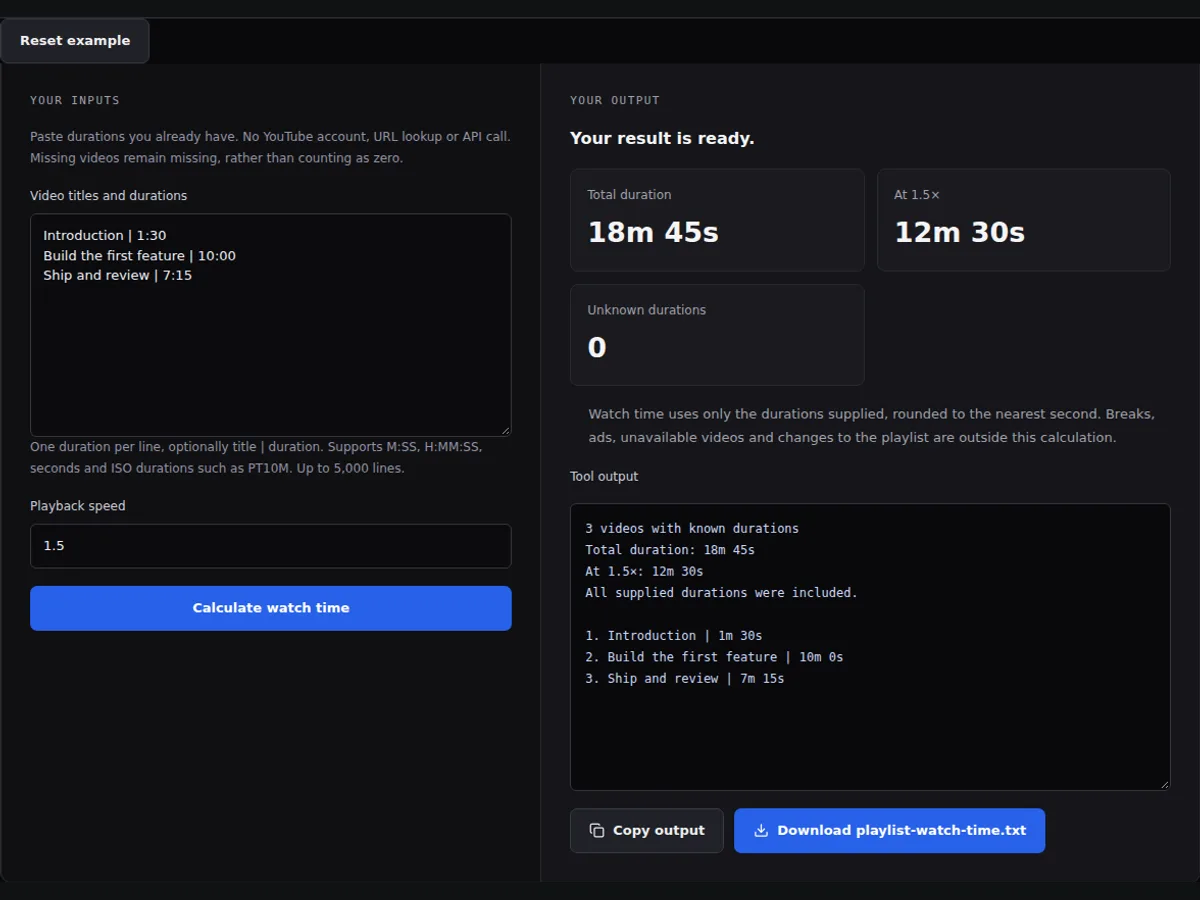
Plan a tutorial session or a course from the durations you already have. Paste one duration per video, optionally with a title, then compare the source duration with playback at your chosen speed. Missing or invalid entries remain visible so the known subtotal is not mistaken for the full playlist.
Free to use. No signup. Output: Known duration + speed-adjusted watch time + TXT.
How to use Playlist watch-time calculator
- Paste one duration per line, optionally title | duration, using M:SS, H:MM:SS, seconds or ISO durations.
- Choose a playback speed between 0.25× and 4× and calculate the watch time.
- Review skipped entries, then copy or download the known-duration report before planning your session.
Worked example: Plan two lessons at double speed
Uses supplied durations only. No YouTube URL lookup occurs. Breaks, ads, unavailable videos and changes to the playlist are not included.
- Example input
Intro | 1:30. Demo | 10:00. Private | unknown. Playback: 2×.
- Expected output
Known duration subtotal: 11m 30s across two videos. At 2×: 5m 45s. The private video is skipped and the report is explicitly incomplete.
Questions, answered
Can I paste a YouTube playlist URL?
This version accepts durations, not playlist URLs. A URL lookup needs YouTube API access. You can paste up to 5,000 duration lines from information you already have, with no provider call.
How is speed-adjusted time calculated?
Known source seconds are added, then divided by the selected playback speed. Displayed times are rounded to the nearest second. This does not include breaks, ads or time spent repeating a section.
How are private or missing videos handled?
Lines without a usable duration are listed as skipped, with their line number and title. If any are skipped, the result is labeled a known-duration subtotal, not a complete playlist total.
Keep building
Ready for feedback on your project?
Share what you are building with the VibeCodingList community.
Submit your project Explore projects